
Agent example: read bill photos
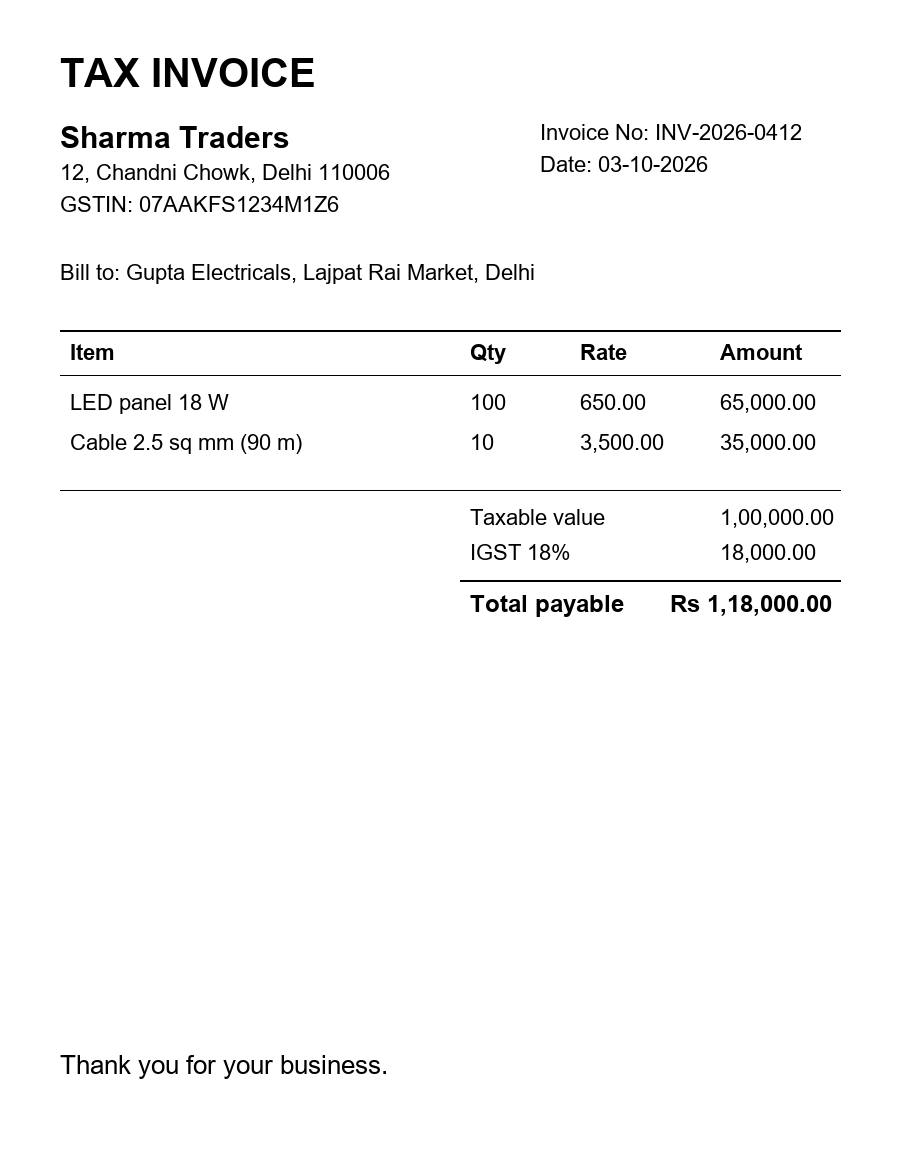
The job: staff drop photos of bills and receipts into a folder. The agent reads each one, pulls out the fields, checks them, and either passes them to your accounts system or puts them in a review list.
Tools used: image reading and structured JSON on /v1/chat/completions. The GSTIN and the date are
checked by your own code.
The code
Section titled “The code”import base64, refrom datetime import datetimefrom pathlib import Pathfrom openai import OpenAIfrom pydantic import BaseModel, Field
client = OpenAI(base_url="https://dummydomain/v1", api_key="YOUR_API_KEY")GSTIN = re.compile(r"^\d{2}[A-Z]{5}\d{4}[A-Z][1-9A-Z]Z[0-9A-Z]$")MIME = {".jpg": "image/jpeg", ".jpeg": "image/jpeg", ".png": "image/png", ".webp": "image/webp"}
class Bill(BaseModel): readable: bool = Field(description="false if the photo is blurred, dark or cut off") vendor: str gstin: str | None = Field(description="15-character GSTIN exactly as printed, or null") bill_number: str bill_date: str = Field(description="DD-MM-YYYY") total_inr: float
def read_bill(photo: Path) -> Bill: image = f"data:{MIME[photo.suffix.lower()]};base64," + base64.b64encode(photo.read_bytes()).decode() reply = client.chat.completions.create( model="Smart", messages=[{"role": "user", "content": [ {"type": "text", "text": "Read this bill. Copy values exactly as printed. Use null for a missing GSTIN."}, {"type": "image_url", "image_url": {"url": image}}, ]}], response_format={"type": "json_schema", "json_schema": {"name": "Bill", "schema": Bill.model_json_schema(), "strict": True}}, ) return Bill.model_validate_json(reply.choices[0].message.content)
def problems(bill: Bill) -> list[str]: found = [] if not bill.readable: found.append("photo not readable") if bill.gstin and not GSTIN.match(bill.gstin.replace(" ", "")): found.append("GSTIN format is wrong") try: datetime.strptime(bill.bill_date, "%d-%m-%Y") except ValueError: found.append("date is not DD-MM-YYYY") if bill.total_inr <= 0: found.append("total is missing") return found
for photo in sorted(Path("inbox").iterdir()): if photo.suffix.lower() not in MIME: continue bill = read_bill(photo) issues = problems(bill) if issues: print("REVIEW", photo.name, issues) # put it in your review list else: print("OK ", photo.name, bill.model_dump()) # send it to your accounts systemSee it run
Section titled “See it run”A real run of the code above, on made-up sample files. Press Replay to watch the steps in order.
What went in
What the agent did
POST /v1/chat/completionsSmart1 sSmart read the image and returned JSON that matches the Bill schema.
Request and response
Request
{
  "messages": [
    {
      "role": "user",
      "content": [
        {
          "type": "text",
          "text": "Read this bill. Copy values exactly as printed. Use null for a missing GSTIN."
        },
        {
          "type": "image_url",
          "image_url": {
            "url": "<file, 57,193 bytes>"
          }
        }
      ]
    }
  ],
  "response_format": {
    "type": "json_schema",
    "json_schema": {
      "name": "Bill",
      "schema": {
        "properties": {
          "readable": {
            "description": "false if the photo is blurred, dark or cut off",
            "title": "Readable",
            "type": "boolean"
          },
          "vendor": {
            "title": "Vendor",
            "type": "string"
          },
          "gstin": {
            "anyOf": [
              {
                "type": "string"
              },
              {
                "type": "null"
              }
            ],
            "description": "15-character GSTIN exactly as printed, or null",
            "title": "Gstin"
          },
          "bill_number": {
            "title": "Bill Number",
            "type": "string"
          },
          "bill_date": {
            "description": "DD-MM-YYYY",
            "title": "Bill Date",
            "type": "string"
          },
          "total_inr": {
            "title": "Total Inr",
            "type": "number"
          }
        },
        "required": [
          "readable",
          "vendor",
          "gstin",
          "bill_number",
          "bill_date",
          "total_inr"
        ],
        "title": "Bill",
        "type": "object"
      },
      "strict": true
    }
  }
}
Response 200 { "choices": [ { "finish_reason": "stop", "index": 0, "message": { "content": "{\"readable\":true,\"vendor\":\"Sharma Traders\",\"gstin\":\"07AAKFS1234M1Z6\",\"bill_number\":\"INV-2026-0412\",\"bill_date\":\"03-10-2026\",\"total_inr\":118000.0}", "role": "assistant" } } ], "object": "chat.completion", "usage": { "completion_tokens": 73, "prompt_tokens": 686, "total_tokens": 759 } }POST /v1/chat/completionsSmart0.8 sSmart read the image and returned JSON that matches the Bill schema.
Request and response
Request
{
  "messages": [
    {
      "role": "user",
      "content": [
        {
          "type": "text",
          "text": "Read this bill. Copy values exactly as printed. Use null for a missing GSTIN."
        },
        {
          "type": "image_url",
          "image_url": {
            "url": "<file, 64,090 bytes>"
          }
        }
      ]
    }
  ],
  "response_format": {
    "type": "json_schema",
    "json_schema": {
      "name": "Bill",
      "schema": {
        "properties": {
          "readable": {
            "description": "false if the photo is blurred, dark or cut off",
            "title": "Readable",
            "type": "boolean"
          },
          "vendor": {
            "title": "Vendor",
            "type": "string"
          },
          "gstin": {
            "anyOf": [
              {
                "type": "string"
              },
              {
                "type": "null"
              }
            ],
            "description": "15-character GSTIN exactly as printed, or null",
            "title": "Gstin"
          },
          "bill_number": {
            "title": "Bill Number",
            "type": "string"
          },
          "bill_date": {
            "description": "DD-MM-YYYY",
            "title": "Bill Date",
            "type": "string"
          },
          "total_inr": {
            "title": "Total Inr",
            "type": "number"
          }
        },
        "required": [
          "readable",
          "vendor",
          "gstin",
          "bill_number",
          "bill_date",
          "total_inr"
        ],
        "title": "Bill",
        "type": "object"
      },
      "strict": true
    }
  }
}
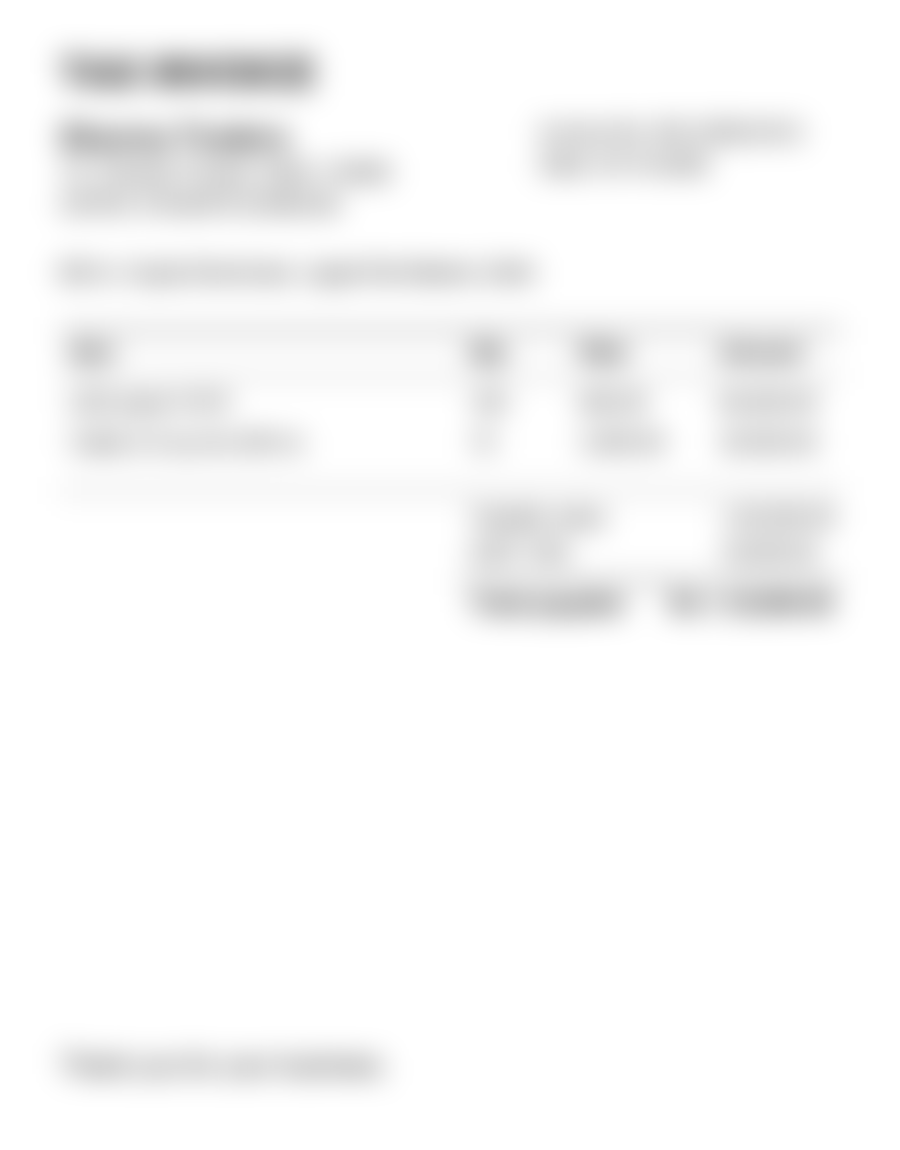
Response 200 { "choices": [ { "finish_reason": "stop", "index": 0, "message": { "content": "{\"readable\": false, \"vendor\": \"null\", \"gstin\": null, \"bill_number\": \"null\", \"bill_date\": \"null\", \"total_inr\": 0.0}", "role": "assistant" } } ], "object": "chat.completion", "usage": { "completion_tokens": 45, "prompt_tokens": 686, "total_tokens": 731 } }
What the program printed
OK     bill-001.png {'readable': True, 'vendor': 'Sharma Traders', 'gstin': '07AAKFS1234M1Z6', 'bill_number': 'INV-2026-0412', 'bill_date': '03-10-2026', 'total_inr': 118000.0}
REVIEW bill-002-blurred.png ['photo not readable', 'date is not DD-MM-YYYY', 'total is missing']
How it works
Section titled “How it works”- One bill per request. Your code always knows which answer belongs to which file.
- The schema keeps the answer in shape. With
strict: true, the JSON always has the fields you asked for, somodel_validate_jsondoes not break on a surprise. readablelets the model say “I can’t see this”. Without it, a model may guess. A clear way out gives you fewer wrong values.- Rules are checked in code. The GSTIN pattern, the date and the total are tested by your program. The model reads; your code checks.
Where else this works
Section titled “Where else this works”Delivery proofs with a signature and stamp, meter readings, visiting cards, filled paper forms, and photos of a shop shelf for stock counts. Change the schema and the checks; the pattern stays the same.
Common questions
Can ZenithAI read a photo of a bill taken on a phone?
Yes. Send it as an image on /v1/chat/completions with a JSON schema, and you get the vendor, bill number, date, GSTIN and total as fields. A blurred or cut-off photo should be marked unreadable and checked by a person.
How many bill photos can I send in one request?
Up to 8 images and 20 MiB in total per request, each up to 10 MiB. For a pile of bills, send one bill per request. Your code can then match every answer to its file.